
Export
Your data is yours to take, in the format you need. Settings → Your data builds each file on your device and hands it to your device's share sheet — you choose where it goes. No account is required.
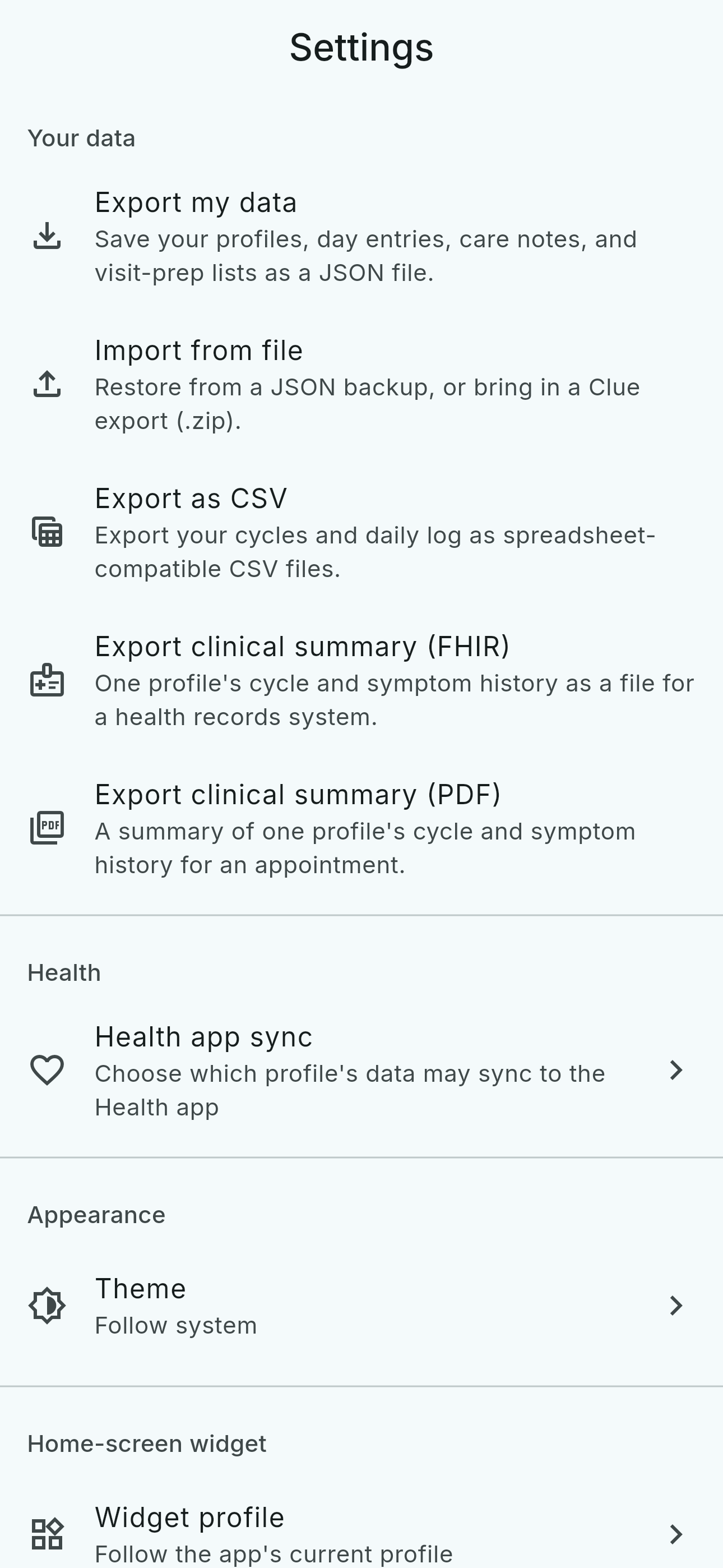
The four exports
- Export my data (JSON)
- Everything on this device — every profile and entry you can see, with each entry's author attribution. Built entirely from the device copy, so it works fully offline, with no account.
- Export as CSV
- Two spreadsheet-friendly tables — one row per cycle, one per day — with notes and tags in their own columns. Text that could be read as a spreadsheet formula is escaped, so a CSV opens as data, never as something a spreadsheet executes.
- Export clinical summary (FHIR)
- One profile's history as a FHIR R4 bundle some patient portals can import directly. Clinical codes are used where a verified mapping exists and lunarlog's own codes elsewhere — never a guessed code — and the file says throughout that the data is self-reported, not a clinician's assessment. It carries only the profile's display name: no email, no account id.
- Export clinical summary (PDF)
- A one-page, on-device summary for an appointment: the profile's cycle and symptom history, its display name only, and no note text at all.
You pick the destination
No export is uploaded anywhere by lunarlog. Each file is built on your device and handed to your share sheet — AirDrop, Files, email, or any app you choose. Handing one to a clinician is your transfer, between you and them.
What a guardian's export leaves out
If you export a profile you share but the profile's subject marked a day note private, that note is not in your file — the same rule the app itself follows. The subject's own export carries their private notes in full.
And it goes back in
A JSON export can be read back into lunarlog on any device — an additive restore that adds what is missing and overwrites nothing. See Import.