Family sharing and roles
A cycle affects more than one person sometimes. lunarlog is built for that from the ground up: profiles are shared with their guardians, every entry is attributed to the person who logged it, and the server — not just the app — enforces what each role may do.
The four roles
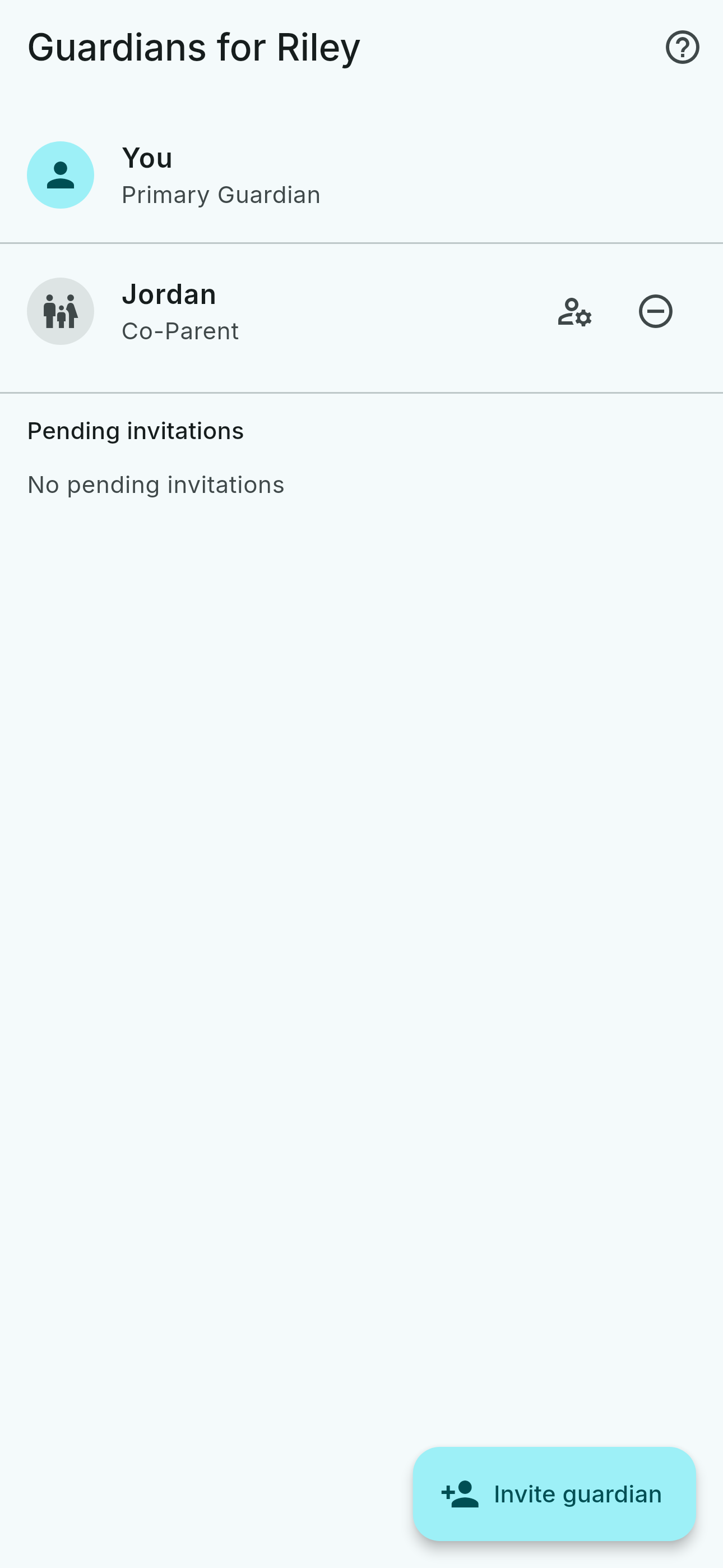
Each guardian on a profile holds one of four roles, and the role is the whole permission model:
| Role | Can log entries | Can edit the profile and manage guardians |
|---|---|---|
| Primary Guardian | Yes | Yes — and only this role can delete the profile or transfer ownership |
| Co-Parent | Yes | Yes |
| Caregiver | Yes | No |
| Viewer | No — view-only | No |
What a role never changes is reading: every accepted guardian reads everything logged on the profile, whatever their role. The one exception is a day note the profile's subject marked private, which only they can read.
Two ways to start, equally real
Either side can start. Neither direction is the "real" one, and nothing in the app assumes a parent is the account holder.
You track, and invite someone in
Your profile is yours first. Send a single-use invitation link to a parent, partner, or caregiver and pick their role — a read-only viewer, or a hands-on caregiver or co-parent. You can change the role or revoke it later.
You set up, and invite them in
Create a profile for a family member, then send the subject invitation — labelled "Her own profile" on the profile's guardian screen. When they accept, the profile shows up on their device as theirs — "This is your profile", not a shared-with-you row — their own logging attributed to their name, while guardians keep full access in return. For someone under 13, this invitation is the only way the app begins, and accepting it is the parental-consent record.
One age rule runs under both directions: an account is for people 13 and older, and someone younger uses the app only through the profile a parent created and invited them to.
Ownership can move with the family
A profile a parent created starts under the parent's account. When the person it is about is ready to hold it themselves, the parent transfers ownership to their account in one step — every entry keeps its original "logged by" attribution, and the parent chooses whether to stay on as a co-manager or step back to read-only. After the transfer, the parent's access is an ordinary membership the new owner can revoke like anyone else's.
Merging, not overwriting
If two guardians log the same date without knowing, lunarlog merges both entries and shows what happened: the value that lost the merge — say, one guardian's note — is kept briefly so its author can see and recover it in the app. That disclosure is visible only to the profile's guardians, never appears in a notification, and is permanently deleted after 30 days.
Reminders that reach the right person
A guardian can turn on optional push alerts — when another guardian logs an entry, or when an expected entry hasn't arrived — so the people around a profile stay in the loop without asking. The alert that reaches the lock screen is always the same fixed generic text, never the content: no note, tag, flow level, date, or profile name ever rides along. Alerts are opt-in per guardian, and a build with no push configuration never contacts a push service at all.
Sharing an estimate without sharing the log
For adult profiles, the primary guardian can create a prediction-only connection: a single-use code that lets one other account see the estimated period and fertile days on a read-only calendar — never a logged entry, note, or symptom, and never guardian access. It is not available for a minor's profile, and the server refuses it there, not just the app.